NOAA Weather Radio Frequencies: The 7 Channels Explained
NOAA weather radio frequencies span 7 channels from 162.400 to 162.550 MHz. Choose the one used by the NWS transmitter serving your county, then program your radio’s alert area.
On this page (11 sections)
- What are the 7 NOAA weather radio frequencies?
- Which NOAA weather radio channel should you tune to?
- How should you choose a radio for weather radio frequencies?
- What does a weather radio scan do?
- Do NOAA weather radio channels change by state?
- What is the difference between a channel and a county alert code?
- How do you set up a home weather alert radio?
- What should you check when reception is weak or the radio stays silent?
- What mistakes should you avoid when tuning a weather radio?
- When should you recheck your NOAA weather radio frequency?
- Which weather radio frequency and radio should you choose?
NOAA Weather Radio frequencies use 7 channels from 162.400 to 162.550 MHz. Your local station broadcasts on one of them, so find the frequency assigned to the NWS transmitter serving your county before relying on alerts.
| Channel | Frequency |
|---|---|
| 1 | 162.400 MHz |
| 2 | 162.425 MHz |
| 3 | 162.450 MHz |
| 4 | 162.475 MHz |
| 5 | 162.500 MHz |
| 6 | 162.525 MHz |
| 7 | 162.550 MHz |
The channel number identifies a frequency. It does not rank the channel or signal, and each channel does not have a different alert level.
What are the 7 NOAA weather radio frequencies?
The 7 NOAA weather radio frequencies are 162.400, 162.425, 162.450, 162.475, 162.500, 162.525, and 162.550 MHz. They are spaced 0.025 MHz apart.
The National Weather Service broadcasts forecasts, watches, warnings, and other public safety information over its NOAA Weather Radio network. The right channel for you depends on which transmitter reaches your location and covers your county.
For the local frequency, use the NWS NOAA Weather Radio station map. Search by state or location and review the transmitter’s frequency and coverage details.
Which NOAA weather radio channel should you tune to?
Tune to the frequency of the NWS transmitter that serves your area. Use the station map first, then confirm that the broadcast comes in clearly where you plan to keep the radio.
A strong signal is a useful sign of reception, but it does not confirm that the station covers your county. Nearby transmitters can serve different areas, so match the station’s coverage with your location before setting alert codes.
If your radio has a scan function, let it search the weather channels and find a signal. Compare the result with the NWS map, and choose the correct transmitter even if another channel sounds stronger.
What if two frequencies come in clearly?
Choose the station whose coverage includes your county and local area. If two broadcasts appear suitable, check their NWS transmitter details and listen to each for a consistent signal.
Buildings, hills, and the radio’s placement can affect reception. Extend the antenna and try a spot near a window, then listen again before settling on a location.
How should you choose a radio for weather radio frequencies?
Choose a radio based on where you will use it and which alert features you need. A home radio with county programming suits a fixed emergency setup, while a portable receiver is easier to carry or move around while checking reception.
The Midland WR400 is a fit for a home setup where scan support, county programming, and several alert styles are useful. It scans 10 weather band channels and locks onto the strongest signal; you still need to confirm that signal is from the transmitter serving your county.
It also supports programming for up to 25 counties and lets you choose between a siren, voice alert, or visual LED flasher.
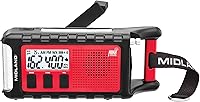
The Midland WR120B is a more focused choice if you want county programming and color-coded alert indicators. It supports selected alerts from up to 25 counties, but skip it if you need a pocket radio to carry while moving around.
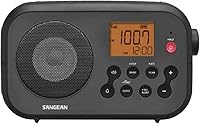
The Sangean DT-400W is the portable option for checking reception around the house or carrying a weather band receiver on a trip. Its presets cover AM, FM, and weather channels, and its button lock helps prevent accidental changes on the go.
Skip it if your main goal is a dedicated home alert display with programmable county selection.
For more choices across home and portable setups, see our best NOAA weather radios.
What does a weather radio scan do?
A weather radio scan searches for a receivable weather channel and may stop on a strong signal. Scan behavior varies, so check the radio manual to learn whether it selects one station or cycles through channels.
The WR400 scans 10 available weather band channels and locks onto the strongest one. Scanning helps locate reception, but it cannot tell you by itself whether a transmitter serves your county.
S.A.M.E. programming is a separate step from selecting the frequency. It lets compatible radios target alerts for selected areas, so set the station and the county codes independently.
Do NOAA weather radio channels change by state?
The same 7 frequencies are reused across the network, and local transmitters determine which channel serves each area. There is no single channel that works for every state or county.
A state may have several transmitters that cover different locations. The NWS station map provides transmitter details, including frequency and coverage information, so you can identify a useful broadcast.
Check the destination’s transmitter before traveling. A channel that works at home may not serve the place you are visiting.
What is the difference between a channel and a county alert code?
The channel is the radio frequency carrying the broadcast; a county code tells a compatible radio which alerts to notify you about. You may need to set both for useful local alerts.
S.A.M.E. means Specific Area Message Encoding. Midland describes its radios’ programming as allowing codes for a state, county, or, in some cases, part of a county.
During setup, select the transmitter frequency first, then program the area codes according to the radio manual. The Midland WR120B review covers that model’s county programming and alert features.
How do you set up a home weather alert radio?
Find your local frequency, set the radio to that channel, and then program the counties you want to monitor. Follow the manual for the alert mode, volume, and notification settings.
Place the radio where the signal remains clear and where you can hear or see alerts. If it has backup batteries, install them as directed so the radio has a backup power source during an outage.
The WR120B supports up to 25 counties, has color-coded alert indicators, and switches to warn of impending danger. If you want a clock, AM/FM radio, scanning, and several alert styles in one home unit, the WR400 combines those features with battery backup using 4 AA batteries.
For radio basics, read our starter guide to two-way radios and emergency weather radios. Weather band radios receive broadcasts; they do not let you transmit a reply.
What should you check when reception is weak or the radio stays silent?
Check the frequency, antenna, power, and alert settings in that order. A valid channel can still have weak reception, and a radio may not alert for counties that are not programmed.
Try these steps:
- Confirm the frequency against the NWS station map.
- Extend the antenna and move the radio near a window.
- Check the power connection and backup batteries, if used.
- Review the selected channel, county codes, and alert settings.
- Listen again after moving the radio.
If the radio beeps, will not scan, or misses alerts, follow the steps in why a NOAA weather radio may not work. To understand the alert terms it may broadcast, see weather watch vs. warning.
A portable receiver can help you compare reception from room to room. The DT-400W runs on 2 AA batteries and offers weather channel presets, but use the NWS coverage map to confirm that a clear station is the right one.
What mistakes should you avoid when tuning a weather radio?
Do not assume the strongest channel is automatically the correct local station. Confirm its transmitter and coverage, then set county alerts separately.
Other common mistakes are leaving the antenna retracted, placing the radio where walls or terrain weaken reception, and forgetting to recheck a station after moving. A radio scan can locate a signal, but it does not replace checking local coverage.
Do not assume that hearing a broadcast means every alert setting is correct. Review the manual after setup, and confirm the radio has power and the intended county codes.
When should you recheck your NOAA weather radio frequency?
Recheck the station when you move, travel, replace the radio, or notice reception has changed. Verify the channel during setup rather than relying on a remembered frequency.
Keep the local station information with your emergency supplies so you can retune after a reset or replacement. If power is lost, use the manual to restore any saved channel and county settings.
Which weather radio frequency and radio should you choose?
Choose the frequency assigned to the NWS transmitter that serves your county, then select a radio that fits your routine. Check the NWS map, confirm clear reception, and program the alert areas separately.
Choose the WR400 for a home setup with scanning and configurable alerts, the WR120B for county programming with color-coded indicators, or the DT-400W for portable listening and reception checks. For additional models and features, compare our best NOAA weather radios.
Frequently asked questions
What are the 7 NOAA weather radio frequencies?
The 7 NOAA Weather Radio channels are 162.400, 162.425, 162.450, 162.475, 162.500, 162.525, and 162.550 MHz. A local transmitter may use only one of them, so check the NWS station map or scan with a weather band radio, then confirm the station serves your county.
Which NOAA weather radio channel should I use?
Use the channel assigned to the NWS transmitter that serves your area. Check the NWS station map, then tune in and listen for a clear, steady broadcast.
A radio’s scan function can help locate a signal, but verify its coverage before programming county alerts.
Are NOAA weather radio channels the same everywhere?
The same 7 frequencies are used across the network, but the channel that serves you depends on the local transmitter and its coverage area. Check the NWS station map by state or location, especially after moving or before a trip, because your home channel may not work at your destination.
Can I hear NOAA weather radio on an AM or FM radio?
Usually not with a standard AM/FM radio. NOAA Weather Radio broadcasts on VHF weather band frequencies, so you need a receiver that includes weather band reception.
Check the radio manual for how to tune those channels and whether it supports weather alerts.