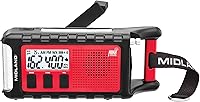
Why Is My NOAA Weather Radio Not Working?
A NOAA weather radio that isn't working usually has a power, reception, county-code, or alert-setting problem. Check those in order before resetting it or choosing a replacement.
On this page (12 sections)
- What should you check first when a NOAA weather radio is not working?
- Why is my NOAA weather radio not receiving a signal?
- Why does my weather radio beep without an alert message?
- Why is my NOAA radio not alerting for my county?
- Why does the radio receive alerts for the wrong area?
- Why does my radio miss a warning even when it has power?
- What should you do if the radio loses power during an outage?
- How should you choose a replacement for a NOAA weather radio that isn't working?
- How do you set up and care for a NOAA weather radio?
- What mistakes can keep a NOAA weather radio from working?
- When should you reset or replace a weather radio?
- What should you do next if your NOAA weather radio is not working?
A NOAA weather radio that isn't working usually has a power, reception, county-code, or alert-setting problem. Check those in order before resetting it or choosing a replacement.
Start with the display, sound, and power source. A silent radio needs different checks from one that keeps beeping, misses alerts for your county, or receives messages for the wrong area.
What should you check first when a NOAA weather radio is not working?
Check power, volume, and the display first. A loose adapter, depleted backup batteries, low volume, or a dim screen can make a working radio seem broken.
Reconnect the adapter if your model uses one. If it supports batteries, install the number and type listed in the manual, then see whether the display or radio behavior changes.
Raise the volume and check that the radio isn't muted. If the display remains blank, follow the manual's reset or setup steps before deciding the radio has failed.
Why is my NOAA weather radio not receiving a signal?
Weak reception or the wrong channel can leave a NOAA radio silent. Move it near a window, extend its antenna, and scan or tune through the available weather channels.
Reception depends on your location and the transmitter serving it. NOAA's Weather Radio transmitter map can help you find a nearby transmitter, and our NOAA weather radio frequencies guide explains the 7 channels.
A faint or broken signal may improve if you move the radio higher or away from large metal objects and electronics. Try another location before changing alert settings.
The PR-D12 also receives AM and FM and stores 45 station presets. It runs on an AC adapter or 4 AA batteries, which can help if you want to check reception in another spot.
Why does my weather radio beep without an alert message?
A beep may signal an active alert or a radio setting that needs attention. Check the screen for a message, code, or indicator, then consult the manual for the sound pattern.
Radios can use different sounds for alerts, tests, setup reminders, or power conditions. Don't assume every beep means severe weather, but check an alert indicator before silencing the radio.
If the beeping continues, review the alert history if your model has one. Check the battery and power connection, then follow the manual's steps for clearing a message.
What should I check if a Midland weather radio keeps beeping?
Check the display and model manual to identify the beep before changing settings. The Midland WR120B uses SAME county programming and color-coded indicators to show alert type and severity.
Confirm that the message has ended and that the radio isn't still reporting an active alert. The Midland WR120B review explains its alert indicators and county programming.
If the message is unclear or the beep continues after an alert ends, follow Midland's model instructions or contact its support team. Avoid resetting the radio until you know whether the reset will erase county settings.
Why is my NOAA radio not alerting for my county?
The radio may have the wrong county code or alert selections. Check that the SAME code matches your county and that the alert types you need are enabled.
SAME, or Specific Area Message Encoding, lets compatible radios target alerts for selected areas. Confirm your code through an authoritative local source, then compare it with the radio's programmed counties.
Some radios let you program several counties. The WR120B and WR400 each support up to 25, so review the saved list for an outdated or mistyped code.
For help understanding an alert after it sounds, read what a weather watch or warning means. They call for different levels of attention.
Why does the radio receive alerts for the wrong area?
An extra or incorrect county code can make alerts seem unrelated to your location. Review every programmed county and remove ones you no longer want to monitor.
A radio set to several areas may receive more messages than one set to your county alone. Choose the coverage you need, especially if you live near a county line or travel with the radio.
Our Midland weather radio comparison covers setup and alert features on the WR120B and WR400. Check the manual before changing your county list.
Why does my radio miss a warning even when it has power?
A powered radio can still miss alerts if it isn't tuned, configured, or receiving correctly. Confirm the NOAA channel is clear, the antenna is positioned well, and alerts are enabled.
Many weather radios monitor broadcasts while set to a weather channel. If yours is in another mode, check its manual to see whether it switches automatically for alerts.
A radio can receive only alerts broadcast for its coverage area and configured settings. Keep local emergency notifications as another source of information, and follow official instructions during an emergency.
The WR400 offers battery backup with 4 AA batteries, which aren't included. Its alert options include a siren, voice, or visual LED flasher.
What should you do if the radio loses power during an outage?
Check whether your radio supports battery backup and keep the required batteries ready. A radio that depends on wall power may stop working during an outage.
The WR120B can run on corded power or 6 AAA batteries. The WR400 supports 4 AA batteries for backup, while the Sangean PR-D12 uses 4 AA batteries or its AC adapter.
If battery backup is part of your emergency plan, check it using the manual's instructions. Replace batteries as directed and confirm the display works after switching power sources.
How should you choose a replacement for a NOAA weather radio that isn't working?
Choose by alert setup, backup power, and how you plan to use the radio. The Midland WR120B suits a home user who wants SAME county targeting and simple alert indicators; skip it if you need AM/FM listening or a speaker for voice alerts.
The WR400 fits someone who wants channel scanning, multiple alert styles, AM/FM radio, and a clock with an alarm. It may be more than you need if you only want basic weather alerts, and its backup batteries must be bought separately.
The Sangean PR-D12 suits someone who wants a portable radio for weather, AM, and FM listening, with battery or adapter power. Skip it if county-specific SAME programming is central to your needs, since the listed features don't specify SAME.
Compare their functions in our best NOAA weather radios guide. For a close look at two Midland models, see [Midland WR120B vs.
WR400](/midland-weather-radios-compared/).
How do you set up and care for a NOAA weather radio?
Set the radio where it can receive a clear signal, then program your county and check power. Use the manual for model-specific channel, SAME, alert, and test steps.
Extend the antenna and try a few locations before settling on a spot. Keep the display visible and the alert sound audible from the places where you'll need to notice it.
Recheck county settings after moving the radio or changing batteries. Keep spare batteries on hand if the model supports them, and use the manual's test procedure to check alerts without mistaking a real warning for a test.
What mistakes can keep a NOAA weather radio from working?
The most common setup mistakes are using the wrong channel, entering an incorrect county code, and leaving alerts disabled. Also check volume, battery condition, adapter connection, and antenna position before replacing the radio.
Don't clear or reset the radio while an alert is active or before recording the county settings you need. If you travel with it, review the location and county setup instead of assuming the home settings will fit.
When should you reset or replace a weather radio?
Reset only after checking power, channel, reception, and programming. A reset may clear county codes or alert preferences, so note them first.
If the radio stays blank, won't tune, or keeps malfunctioning after you follow the manual, contact the manufacturer for model-specific help. Replace it if it can't receive alerts reliably and support can't resolve the problem.
What should you do next if your NOAA weather radio is not working?
Pick the WR120B for county-focused alerts, the WR400 for more alert and clock options, or the PR-D12 for portable AM/FM listening. If your current radio remains silent, check power, reception, channel, and county settings in that order before resetting it.
Use the NOAA weather radio frequency guide to confirm your channel, and keep local emergency alerts available as another source of information.
Frequently asked questions
Why is my NOAA weather radio beeping?
A beep can signal an active alert or a setting or power issue. Check the display for a message or indicator, then use the manual to identify the sound pattern and review power and county programming.
If it continues without a clear message, follow the maker's model-specific guidance.
Why is my NOAA weather radio not receiving a signal?
The radio may be on the wrong weather channel, in a spot with weak reception, or affected by an antenna or power issue. Try each NOAA channel, extend or reposition the antenna, and move the radio near a window.
Coverage varies by location, so check the nearest transmitter and its channel.
Why is my weather radio not alerting for my county?
Check that the radio has the correct county SAME code and that the alert types you need are enabled. Some models let you select several counties or limit alerts by event.
Confirm your county code and the setup steps in your manual, then follow the radio's alert test instructions.
Can I use a NOAA weather radio during a power outage?
Some models support battery backup, while others depend on an AC adapter. Check your model's power options and keep the required batteries ready if it supports them.
Follow the manual to check battery operation, since a radio that works only on AC may go silent during an outage.